Power a City Controls & Menus
Know every critical button before a Cash boost burns down.
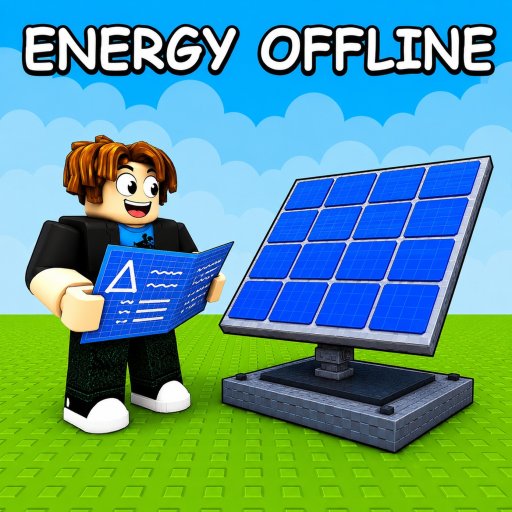
Missing a menu costs real progress in Power a City. This controls guide covers the Roblox Power Your City interface habits you need for codes, placement, selling, and theft.
Essential menus
- Settings (left side) — scroll to the code box to Claim promo strings (How to redeem, Codes Hub).
- Build / place tools — deploy Generators and Batteries from the shop flow.
- Movement — standard Roblox WASD / thumbstick; carrying stolen Power often slows you (How to steal Power).
Desktop tips
- Keep Settings reachable—do not bury yourself behind props.
- Practice opening the code box until it is muscle memory.
- After Claim, start the Boost timer in another tab.
- Walk your sell corridor once before redeeming Cash boosts (How to sell Power).
Mobile tips
- Rotate the camera so Batteries stay visible while you place.
- Dismiss the keyboard after pasting codes so Claim stays tappable.
- Prefer short spines (Best layouts) because thumbstick pathing is slower.
Placement discipline
Put Generators inland and Batteries toward the exit (Map & sell routes, Items: Generators, Items: Batteries). Re-check balance after each place action (Generators vs Batteries).
Combat / theft controls mindset
There is no complex combo list—speed and pathing decide raids. Secure home storage before leaving (How to protect Batteries). For income priorities see Make money fast.
After updates
UI positions can shift. Rejoin after patches (Updates) and re-locate Settings before hunting new codes (Where to find codes).
Code Claim under time pressure
Boosts last five minutes. If opening Settings takes twenty seconds of camera fighting, practice until it is instant. Keep the plant camera angled so the left Settings control stays visible. After Claim, tab to the Boost timer without closing Roblox. Paste strings from the Codes Hub or Where to find codes instead of retyping.
Placement controls that save Cash
Misplacing a mega Battery behind Generators can add ten seconds to every future sell. Use Map & sell routes and Best layouts as placement doctrine. After each place action, watch meters for sixty seconds (Generators vs Batteries before the next purchase.
Movement while carrying Power
Stolen Power often slows walk speed. Plan the return path before you touch a rival Battery (How to steal Power. On mobile, shorter spines matter more because thumbstick pathing is imprecise. Desktop players still benefit—WASD does not erase bad layouts.
Session warm-up (ninety seconds)
- Open Settings and find the code box.
- Place or confirm one Generator and one Battery.
- Walk the sell corridor empty-handed.
- Check Updates or Discord via Links for new strings.
- Only then redeem and start farming (Make money fast.
After patches
UI widgets can move. Rejoin after updates and re-locate Settings before hunting codes. If Claim looks missing, you may be on a stale server—leave and rejoin once.
Session examples
Controls mastery is the tax you pay so boosts convert into tiers instead of panic.
Related pages
Related pages
How to play, Power upgrades, Best city build, Guides Hub, Review.
Controls mastery is boring—until a five-minute boost expires while you hunt a button.
Desktop versus mobile muscle memory
On desktop, bind your attention to the left edge of the screen where Settings lives and keep the mouse free for placement confirmations. On mobile, rotate the camera before opening menus so thumbs do not cover Batteries you are trying to watch. Both platforms share the same Claim flow; only the pathing tax differs.
Practice Claim → timer tab → sell start as a single ritual. Players who treat those as three separate chores routinely lose a minute of every five-minute boost. That minute is often an entire dump. Read How to redeem once, then drill the motion until it is boring.
If a friend joins mid-boost, mute social panic, finish the dump, then talk. Controls discipline is social discipline during timers.
Frequently Asked Questions
Quick answers for Power a City players.
Where is the code menu in Power a City?
Open Settings on the left side of the screen, then scroll to the bottom code box and press Claim.
Do controls differ on mobile?
Menus are the same, but pathing is slower—use shorter layouts and dismiss the keyboard after pasting codes.
Why am I slow after stealing?
Carrying stolen Power usually reduces walk speed. Plan the return path before you interact with Batteries.
What should I practice first?
Opening Settings for codes, placing one Generator and Battery, and completing one sell trip.
Can I rebind keys in Power a City?
Most movement follows Roblox defaults. Focus on menu muscle memory and short routes rather than custom binds.