Power a City Items & Equipment
Catalog hub for Generators, Batteries, and how they fit the Cash loop.
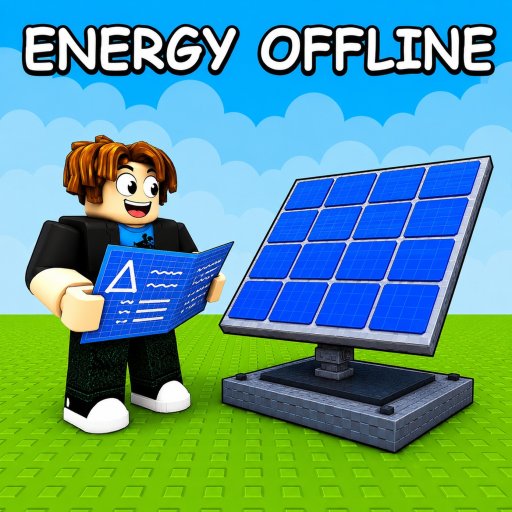
The Items Hub covers the equipment that runs Power a City—primarily Generators and Batteries inside Roblox Power Your City. Use this page as a catalog doorway, then dive into ranked advice on the Tier List Hub.
Item categories
- Generators catalog — production machines that create Power.
- Batteries catalog — storage that holds Power until you sell.
- Map & sell routes — plant orientation and shortest Battery-to-city paths.
Everything else in the loop is action: selling, stealing, redeeming codes. Gear only matters when those actions convert Power into Cash.
How to shop from this hub
- Diagnose meters with Generators vs Batteries.
- Open the matching catalog page below.
- Confirm priority on Generators tier list or Batteries tier list.
- Place new items using Best layouts.
- Sell via How to sell Power and reinvest.
Generators in one paragraph
Generators are your income engine’s piston. More or better Generators fill Batteries faster. Without storage and selling, they only paint a full meter that thieves enjoy. Read Items: Generators for role notes and the production tier list for spend order.
Batteries in one paragraph
Batteries are the vault. Larger Batteries enable bigger Cash dumps—especially under 100KMEMBERS—but increase raid payoff. Learn defense in How to protect Batteries and catalog details in Items: Batteries.
Codes and items
Promo codes do not spawn items directly; they multiply Power or Cash so you can afford the next tier sooner. Keep the Codes Hub and How to redeem handy during shopping sessions. Time windows with the Boost timer.
Beginner shopping path
New players: How to play → place starter Generator + Battery → sell once → open this Items Hub → buy the lagging side. Avoid scripts until the manual loop is clear (Scripts Hub).
Catalog reading order
Open Items: Generators when empty Batteries prove you need output. Open Items: Batteries when meters sit capped and Generators look idle. Read Map & sell routes before you cement a footprint so Batteries face the city exit. Use Best layouts and Best city build before you commit Cash to a permanent plant, because a wrong footprint wastes every later tier buy.
Session shopping drill
Spend sixty seconds watching meters, sell once via How to sell Power, then buy only the lagging side. If a promo is live, redeem from the Codes Hub, start the Boost timer, and shop during the window—not after it. Revisit this Items Hub after every big Cash windfall so the next purchase still matches the live bottleneck instead of yesterday’s guess.
Related hubs
Guides, Tier List, Updates, Links. Official names and Discord live on Links because there is still no official Trello item database.
Treat items as tools in a supply chain: produce, store, sell, upgrade—repeat.
Frequently Asked Questions
Quick answers for Power a City players.
What items matter most in Power a City?
Generators and Batteries. Production and storage drive every Cash spike.
Where are ranked recommendations?
Use the Generators and Batteries tier list pages after you diagnose which resource is bottlenecked.
Do codes give free Generators?
Current codes grant temporary Power or Cash multipliers, which help you buy items faster rather than granting gear directly.
Should I buy every Generator and Battery I unlock?
No. Buy the side that is bottlenecked, place it on a clean spine, sell once, then reassess. Blanket shopping burns Cash.