Power a City How to Sell Power for Cash
Turn stored electricity into upgrade money without wasting boost timers.
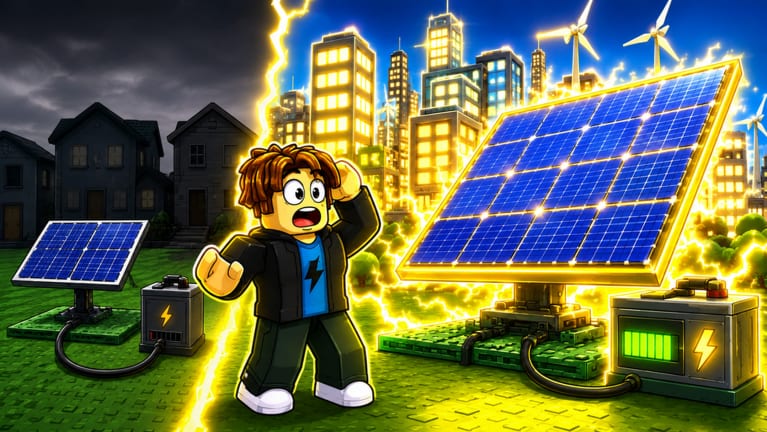
Learning how to sell Power is the difference between a pretty plant and a growing one. In Power a City (Roblox Power Your City), Cash only arrives when stored energy reaches the city. This guide covers timing, routes, boost usage, and upgrade priorities after each sale.
Why selling cadence matters
Generators keep ticking whether you sell or not. If Batteries fill and you AFK, you stop banking progress and become a juicy target for thieves. Short, repeatable sell trips usually beat one giant dump every half hour—especially on contested servers.
Aim for a rhythm: fill → sell → upgrade → refill. The Boost timer tool helps when 100KMEMBERS (2x Cash) is active so you do not stroll the scenic route while the multiplier dies.
Preparing a high-value sale
- Confirm Batteries are near capacity.
- Optionally redeem a Cash code from the Codes Hub using How to redeem.
- Clear a walking path from storage to the city sell points.
- Watch nearby players—if someone is mid-raid, delay two minutes or defend first (How to protect Batteries).
- Sell, then immediately spend Cash on the bottleneck item from the Generators tier list or Batteries tier list.
Selling without a shopping plan often leaves Cash burning a hole until you impulse-buy the wrong tier.
Route design tips
Place Batteries toward the edge of your plant that faces the city exit you actually use. The Best layouts page calls this a production spine: Generators inland, Batteries near the egress, sell path short and obvious.
Avoid maze decorations that force long walks during 2x Cash. Every second of pathing is lost multiplier. If you repeatedly clip obstacles, rebuild the corridor before your next promo code.
Combining Power boosts and Cash boosts
1MVISITS fills Batteries faster; 100KMEMBERS pays more per sale. Ideal combo:
- Start Power boost while storage has room.
- When Batteries hit high, redeem Cash boost.
- Sell immediately.
- Buy the next Generator/Battery tier.
- Resume baseline production.
Details on multipliers live on the Codes Hub. Balance theory is in Generators vs Batteries.
Selling versus stealing
Stealing can spike Power in your Batteries, but it is not a substitute for a sell route. After a successful raid (How to steal Power), treat the stolen energy like normal storage—bank it in the city quickly before someone steals it back.
Beginners who only steal and never optimize selling stay poor because travel time and fights cancel the gain. Use theft as a top-up, not the whole economy.
Upgrades to buy after big sales
- Storage capped every minute — Batteries first.
- Batteries idle empty — Generators first.
- Both fine but trips feel slow — layout cleanup and pathing.
- Constant raids — defensive placement before vanity builds.
Item overviews sit in Items: Generators and Items: Batteries.
Session checklist
- Scan Codes and Updates.
- Fill storage (boost if available).
- Sell on a short route.
- Upgrade the true bottleneck.
- Recheck defense and layout.
Return to the Guides Hub for related tutorials, or open How to play if this is still your first day.
Master selling and Power a City becomes a controlled engine instead of a scavenger hunt.
Frequently Asked Questions
Quick answers for Power a City players.
When should I sell Power in Power a City?
Sell when Batteries are nearly full, especially during a 2x Cash code, then spend the Cash on your current bottleneck upgrade.
Does 2x Power help selling?
Indirectly. 2x Power fills Batteries faster so you can sell more often; 2x Cash multiplies the payout of each sale.
Why am I not earning Cash?
Power must be sold in the city. If you only generate and never complete a sell trip, Cash will not rise.
Should I sell before stealing?
If your Batteries are full, sell first so thieves cannot take your stockpile while you are away raiding.